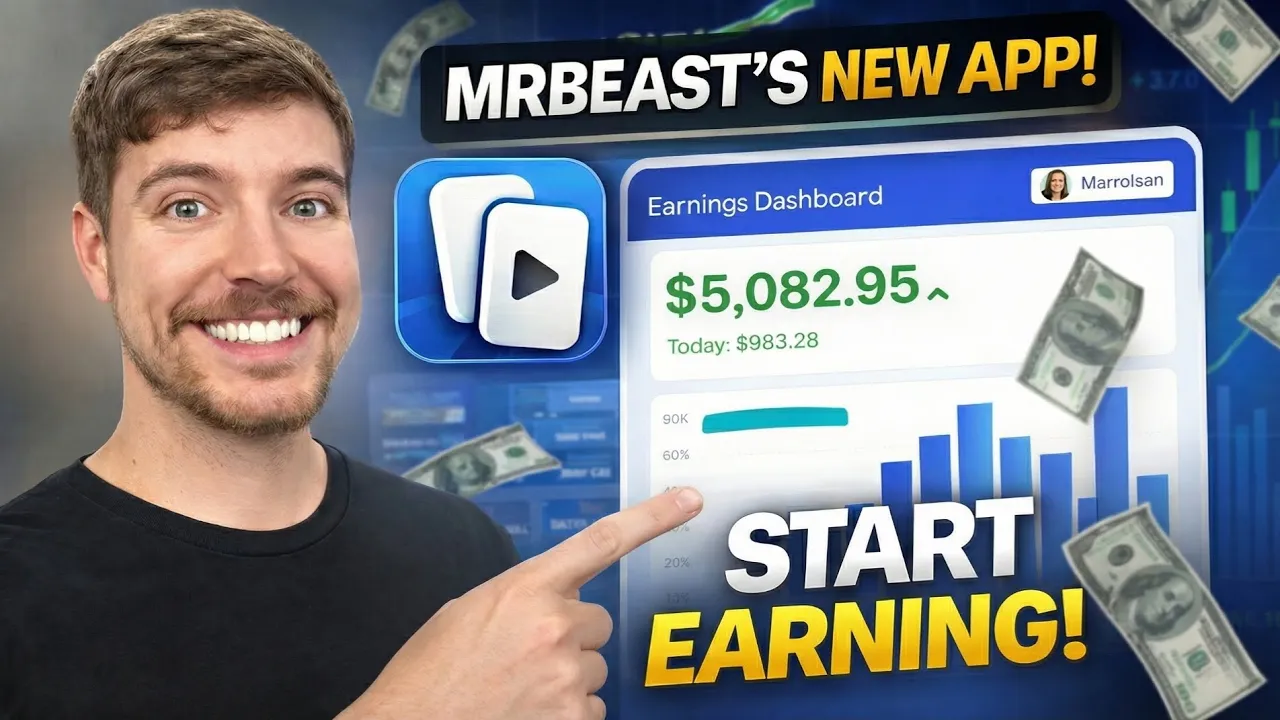
How to Earn Money by Uploading MrBeast Video Clips Using Vyro – Complete Beginner’s Guide
If you’ve been looking for a simple way to earn money online without creating original videos, you’re in the right place. Most people don’t know that there is a platform where you can legally create short clips from popular creators’ long-form videos and earn money based on the views those clips receive.
One of the most talked-about opportunities right now is Vyro, a creator clipping platform that allows users to turn long YouTube videos into engaging short-form content for platforms like YouTube Shorts, Instagram Reels, and TikTok.
For example, you can take a 20–30 second viral moment from a MrBeast video, upload it as a YouTube Short, and start earning money based on the number of qualified views your clip receives. The best part? You don’t even need a monetized YouTube channel.
Some creators are getting only a few thousand views, while others have crossed more than 100,000 views on a single clip and are earning consistently.
In this complete guide, you’ll learn:
- What Vyro is
- How to create your account
- How clipping works
- How to submit your videos
- How payouts work
- Tips to maximize your earnings
What Is Vyro?
Vyro is a content clipping platform that connects creators with editors and short-form content publishers.
Large YouTubers, podcasters, motivational speakers, entrepreneurs, and influencers upload their long-form videos to the platform. Users like you can then create engaging short clips from those videos and publish them on approved social media platforms.
Whenever your submitted clip meets the campaign requirements and receives eligible views, you become eligible for payment.
Unlike traditional YouTube monetization, your earnings come directly from the campaign rather than YouTube AdSense.
You can learn more about YouTube Shorts here:
How Does the Platform Work?
The process is surprisingly simple.
- Select an available campaign.
- Download the creator’s long-form video.
- Find the most engaging or viral section.
- Create a vertical short video.
- Upload it to YouTube Shorts, Instagram Reels, or TikTok.
- Submit the video link back to Vyro.
- Earn money as your clip gains qualified views.
Imagine MrBeast uploads a 50-minute challenge video. Instead of watching it for entertainment only, you identify three or four exciting moments that are around 30 seconds long.
You edit those clips into YouTube Shorts and upload them according to the campaign guidelines. If one of your Shorts reaches 50,000, 100,000, or even 150,000 views, your earnings begin to grow.
Create Your Vyro Account
Creating an account takes only a few minutes.
Step 1: Visit the Official Website
Open your browser and search for Vyro, or visit the official website directly:
Click the Start Clipping button to begin registration.
Step 2: Sign Up with Google
Choose Continue with Google.
The platform will ask you to verify your date of birth before allowing you to continue.
After confirming your age, select your Gmail account and authorize the login.
Within a few seconds, your account will be created.
Step 3: Complete Your Profile
Once signed in, you’ll be asked to fill in your profile information.
Add:
- Your first name
- A unique username
- A profile picture (optional)
Although uploading a profile picture isn’t mandatory, having a complete profile often looks more professional.
Click Continue once you’re finished.
Select Your Location and Language
The next screen asks you to choose your country and preferred language.
Many creators choose the United States because campaigns are often more active there, although availability may vary depending on the platform’s policies.
For language, keeping English as your primary language is recommended since most campaigns are published in English.
You may also add additional languages if supported.
Connect Your Social Media Accounts
Before participating in campaigns, you’ll need to connect at least one social media platform.
You can connect:
- YouTube
- TikTok
- X (formerly Twitter)
For this tutorial, we’ll connect a YouTube account.
Simply click the YouTube option, choose your Google account, approve the requested permissions, and your channel will be linked automatically.
Once connected, click Continue.
Exploring the Dashboard
After setup, you’ll arrive at the Vyro dashboard.
This is where you’ll manage your clipping journey.
The dashboard includes:
- Available campaigns
- Your submitted clips
- Earnings dashboard
- Campaign statistics
- Leaderboard rankings
- Account settings
Your earnings section displays the amount you’ve accumulated from successful submissions, while the dashboard also lets you track the performance of each campaign.
Everything is organized in one place, making it easy even for complete beginners to navigate.
Managing Your Profile and Payment Settings
Before publishing your first clip, it’s a good idea to review your account settings.
Inside the settings page, you can:
- Edit your personal information
- Connect additional social media accounts
- Manage notifications
- Update your profile
- Configure payout methods
Once you’ve earned enough through completed campaigns, you can add supported payment methods such as PayPal or Stripe (depending on your region and the platform’s current payout options).
After your payment details are verified, you’ll be able to redeem your eligible earnings directly through the dashboard.
How to Join a Campaign
Now that your account is fully set up, it’s time to start earning.
From your dashboard, you’ll see multiple active campaigns from different creators. Each campaign includes important information such as payout rates, platform requirements, content guidelines, and submission rules.
Choose any campaign that interests you and click on it to open the details page.
Before creating any content, carefully read all the campaign instructions. Every campaign has its own rules, including:
- Which social media platforms are allowed
- What type of clips should be created
- Minimum and maximum clip duration
- Required hashtags or captions
- Content restrictions
- Payout rate per qualified views
Reading these guidelines carefully will help prevent your submission from being rejected.
Understanding Campaign Payouts
Each campaign displays its own earning model.
For example, you may see a payout such as:
- $1 CPM (approximately $1 for every 1,000 qualified views)
Keep in mind that payout rates vary from one campaign to another. Some creators offer higher rewards depending on their marketing budget and campaign goals.
Always review the campaign details before publishing your content.
Download the Original Video
After accepting a campaign, you’ll gain access to the creator’s approved long-form content.
The platform provides a video player where you can watch the complete video before deciding which moments have the highest viral potential.
Most campaigns also provide a download option so you can edit the content using your preferred video editing software.
Look for moments that are:
- Funny
- Emotional
- Unexpected
- Inspirational
- Fast-paced
- Highly engaging
These moments usually perform much better on YouTube Shorts and Instagram Reels.
Create an Engaging Short Clip
Once you’ve downloaded the video, create a short vertical clip that grabs attention within the first few seconds.
Most successful clips are between 20 and 40 seconds long.
You can edit your clips using popular editing software such as:
- CapCut
- VN Editor
- Adobe Premiere Pro
- DaVinci Resolve
- Final Cut Pro
While editing, consider adding:
- Large captions
- Fast zoom effects
- Background music (if permitted)
- Smooth transitions
- Attention-grabbing opening hooks
The better your editing, the higher the chances your clip will go viral.
Upload Your Clip to YouTube Shorts or Instagram Reels
After editing your video, upload it to the platform specified in the campaign.
Some campaigns only allow:
- YouTube Shorts
Others may accept:
- Instagram Reels
- TikTok
- Facebook Reels
Always follow the campaign requirements to ensure your submission qualifies for payment.
If you’re uploading to YouTube Shorts, make sure your video is:
- Vertical (9:16)
- 1080 × 1920 resolution
- Less than 60 seconds
- High quality
For additional best practices, refer to the official YouTube Shorts documentation:
Submit Your Published Clip
Uploading your Short is only the first step.
To receive payment, you must submit your published post back to the campaign.
Return to the campaign dashboard and click Submit Post.
You’ll be asked to paste the URL of your published Short or Reel.
After pasting the link, the platform automatically checks your submission and tracks the performance of your content.
Once approved, your views begin counting toward your campaign earnings.
When Do You Start Earning?
According to the tutorial, earnings begin once your submitted clip crosses the minimum eligible view threshold set by the campaign.
For many campaigns, this starts around 5,000 qualified views, although the exact requirement varies from one campaign to another.
As your views increase, your earnings continue to grow based on the campaign’s payout structure.
Tips to Get More Views on Your Clips
Uploading random clips isn’t enough. Successful creators usually follow a consistent strategy.
Here are a few practical tips:
- Choose only the most exciting moments from long videos.
- Hook viewers within the first three seconds.
- Add large captions to improve watch time.
- Keep the pacing fast with minimal dead space.
- Upload consistently every day.
- Study viral Shorts to understand what performs well.
- Use engaging titles and relevant hashtags where appropriate.
- Post at times when your audience is most active.
Many successful short-form creators publish several clips every day instead of relying on a single upload.
Can You Really Make Money?
Yes—but success depends on several factors, including campaign availability, the quality of your edits, and how well your videos perform.
Some creators receive only a few thousand views, while others generate hundreds of thousands—or even millions—of views on a single Short.
The more engaging your content is, the greater your earning potential.
Remember that no platform can guarantee a specific income, and your results will vary based on your consistency and audience response.
Frequently Asked Questions (FAQs)
Do I need a monetized YouTube channel?
No. According to the tutorial, payments come through the campaign platform rather than YouTube AdSense, so a monetized YouTube channel is not required.
Can beginners use Vyro?
Yes. The platform is beginner-friendly, and creating an account only takes a few minutes.
Which social media platforms are supported?
Depending on the campaign, you may be able to publish content on YouTube Shorts, Instagram Reels, TikTok, or other supported platforms.
How do I receive payments?
Supported payout methods may include PayPal or Stripe, depending on your country and the platform’s available payment options.
Can I upload unlimited clips?
This depends on the campaign rules. Some campaigns allow multiple submissions, while others may limit the number of clips per participant.
Final Thoughts
If you’re looking for an easy way to enter the creator economy without filming your own videos, content clipping platforms like Vyro can be an interesting opportunity.
Instead of spending hours creating original content from scratch, you focus on finding the most engaging moments from approved long-form videos and transforming them into viral short-form content.
The key is consistency. Upload clips regularly, improve your editing skills, study viral trends, and follow every campaign’s guidelines carefully.
Even if only one out of several clips performs well, it could significantly increase your overall earnings.
Whether you’re a student, freelancer, or someone looking for an additional online income stream, this strategy is worth exploring—provided you understand that results depend on the quality of your content and audience engagement.
Helpful Resources
Disclaimer: Earnings mentioned in this guide are based on the video’s claims and may vary depending on campaign availability, payout policies, eligible views, and content performance. Always review the official campaign rules and terms before participating.